Showing posts with label Payment processor. Show all posts

JillsClickCorner - Your new clicking corner!!!

2 comments
JillsClickCorner is part of the Multimoney group. It has been online since the last 8 odd years. During this time it has consistently paid it's members without any default. Similar to the premium PTC sites like ProBux, NeoBux, Clixsense, NerdBux etc. mentioned on this blog, you get paid to click ads. 

JillsClickCorner is part of the same group that owns Donkeymails. I have featured DonkeyMails in this blog. It is a superb PTC which has been paying without any default.

In addition to clicking ads, you can make money in several different ways like Signups, playing games, offer walls like Matomy, Vrool and GetPaid.

Registration, as usual, is 100% Free. To register click below


Once you click the banner above, you will be taken to the main site page as below


Click on Register marked by the red arrow. You will then see the free registration page where you need to fill in all your details like name, email address, username, password, mailing address etc. You should enter the dedicated email address as I have described in my First post. Upon registration, you will receive a confirmation email with an activation link. Once you click the link, your account will be instantly activated.

JillsClickCorner uses a lot of online payment processors like PayPal, Payza, Perfect Money etc. I highly recommend having one dedicated payment processor i.e.  PayPal, as it is the preferred payment gateway at all PTC sites. Saves us the hassles. If you do not have a PayPal account and do not know how to open one, do go through the step by step guide I have prepared for you at At about PayPal.

There are numerous way you can make money with JillsClickCorner. Once you login to the members page you will see the following ways to make money


Important Tip : Please ensure that you enter complete and accurate information while registration. The admin at JillsClickCorner is very strict. You risk being banned for life from the site should a discrepancy crop up later. So please be careful and enter the correct details. Do not use proxies or change your geo location. If you complete any offers make sure to use the same information you entered during registration.

You will also notice that unlike other PTC sites, JillsClickCorner does not pay you that much for every ad you click. That said, it is one of the most consistently paying site in the PTC world today.

There is no concept of Rented referrals here. That means to make more money you will need to get Direct referrals. I will illustrate ways to get Direct referrals in a separate post.

Another way of making more money is by Upgrading your account. JillsClickCorner provides a lot of upgrade options as shown below


Apart from the other usual benefits of more ads (so more money) these Upgrade options give you a certain probability of making an unmanned referral part of your downline. Like for instance in the 1 Year Baby upgrade you have 1X chance of getting an unmanned referral and in the 1 Year Super Giant Cicker you have a 20X chance of getting an unmanned referral under you. So upgrading definitely has it's benefits. I highly recommend you upgrade your account. What type of upgrade depends on how much money you are planning to make out of JillsClickCorner.

Convinced!! Bet you are!! If you haven't yet registered for free do so by clicking below


Don't forget to check out the Help and News section on the members homepage. JillsClickCorner keeps running a lot of contests which can make you a lot of money in a short span of time. So don't miss out of any such opportunities the site throws at you. 

JillsClickCorner is a veteran in the PTC world. It is one the most trusted and consistently paying PTC sites out there. I highly recommend it.

So join me in becoming part of the PTC revolution with JillsClickCorner.


Click Smart, Click Everyday!!

Click to Riches!!!!

Read More »

All about PayPal

0 comments
PayPal is one of the biggest and most trustworthy online payment processor. PayPal has been around since many years now and I highly recommend it. 


Such is the popularity of PayPal that it is, by default, one of the payment processors for every major PTC website be it ProBux or NeoBux. So it makes sense for you to have a Paypal account. This post is a step by step guide on how to open a PayPal account.

So here goes....

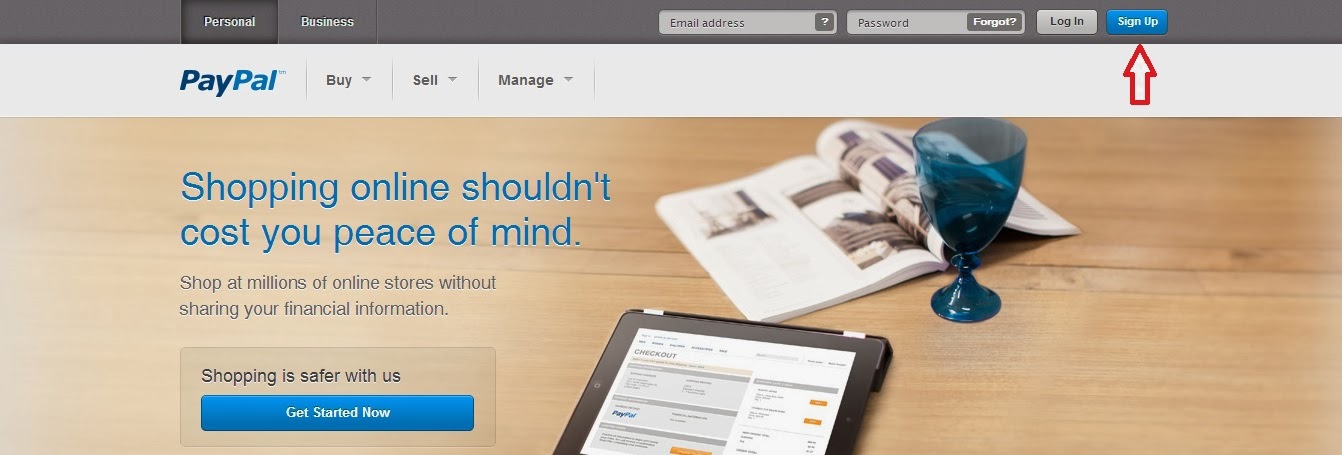
1. Click on https://www.paypal.com/in/webapps/mpp/home You will see the following page


2. Click on the Sign Up button marked by the Red arrow. Once you click it, you will see the following page


3. By default it will display your country/region. I am based in India hence it shows India. If you are an user based in the United States, it will show as United States and so on.

4. Since we would be opening Individual account, click on Get Started button marked by the Red arrow. Once you click it, the below page will open (as the information is very large, I have split it up into 3 images)


5. Fill out all the details properly. You can use your dedicated email address for PTC work as discussed in my first post as your Email address is PayPal. Whenever you register on any PTC website through this blog, you need to enter this email address in the PayPal account information.
If you are an Indian citizen it is mandatory for you to enter the PAN card details. Ensure you enter your name as it is mentioned on the PAN card. You will also need to enter a valid mobile number.
Once you fill in the details click the Agree and Create Account button marked with the Red arrow. The following page will show up


6. Enter the Captcha code and click on Continue. The following page will appear.


7. As seen above it will ask you to enter your credit/debit card details if you want to upgrade your PayPal account. If you don't wish to enter (you can always enter later if you wish to upgrade) click on Go to My Account marked with Red arrow. The below page will show up


8. As you can see the account has been created but it is yet to be verified. This means that at this stage you can send money through PayPal but cannot receive money. And we want to receive money more than sending it. Right?! Click on Complete your tasks marked with Red arrow. The below page will show


9. Confirm email - You need to check the email account which you have provided for the email from PayPal. Follow the instructions in the email to confirm your email account to receive payments. 

10. Provide Pan - Click on the Start button marked by Black arrow. You shall see the below page.


11. Enter your PAN number and click on Submit. PayPal will then verify your PAN details and intimate you once it is done. 

12. Add bank account - Click on the Start button marked by Black arrow. You shall see the below page.


Enter your name as it appears on your account. Enter your account number along with IFSC code and Review it. If the details entered by you are correct, you will get a pop up with all the details which you need to confirm. PayPal will then transfer 2 small amounts in this account. You have to make a note of these amounts and then enter them in the bank account details on your PayPal page. Once you enter the correct amounts, your bank account will be verified and you can start receiving payments.

13. Provide Purpose Code - Click on Start button marked with Red arrow. The following page opens


There are a lot of options to choose here. I recommend you choose the Advertising and market research option. Click on save.

Phew! That's about it. Having a PayPal account is a one time exercise which you have to do as without it you won't be able to receive cash from any of the PTC websites.

Ensure you enter the correct details and follow the steps as outlined above.

As usual, if you have any doubts or queries, feel free to email me at thecashhopper@gmail.com.

Don't waste any time now. Go ahead, log on to https://www.paypal.com/in/webapps/mpp/home and create your PayPal account NOW.


Click Smart, Click Everyday!!

Click to Riches!!!!

Read More »

ABOUT ME

I am a Sales & Marketing executive with 13+ years of experience in different domains. Working in the Corporate world, I always longed to do something of my own. The Internet Marketing business seemed to make the most sense due to it's micro cost for setup as well as sustenance.

I am dedicating this blog to providing a bird's eye view to the world of Paid to Click (PTC) sites. It is my endeavour to provide you with the most authentic information which will help you earn a decent income (in Dollars, I might add), consistently, in the long run.

Let me make it amply clear that this is no highway to fast riches. It is a measured path and one which requires a lot of dedication and patience.

You have taken the first step by coming to this site. I hope you won't be disappointed.

If you have any queries or questions do not hesitate to get in touch with me at thecashhopper@gmail.com

Click Smart, Click Everyday!!

Click to Riches!!!!